
What's New in Pro Tools
Explore the latest updates and features
PRO TOOLS 2025.6 (JUNE 2025)
The Pro Tools 2025.6 software update introduces Splice integration for finding the perfect sound, AI-powered Speech-to-Text analysis, as well as accelerated ADR and reconform workflows with support for solutions by Non-Lethal Applications and The Cargo Cult. The release also delivers ARA support for Dreamtonics Synthesizer V and Waves Sync Vx plugins, MIDI Editor and Input Monitoring enhancements, a new in-app Dashboard, and more.
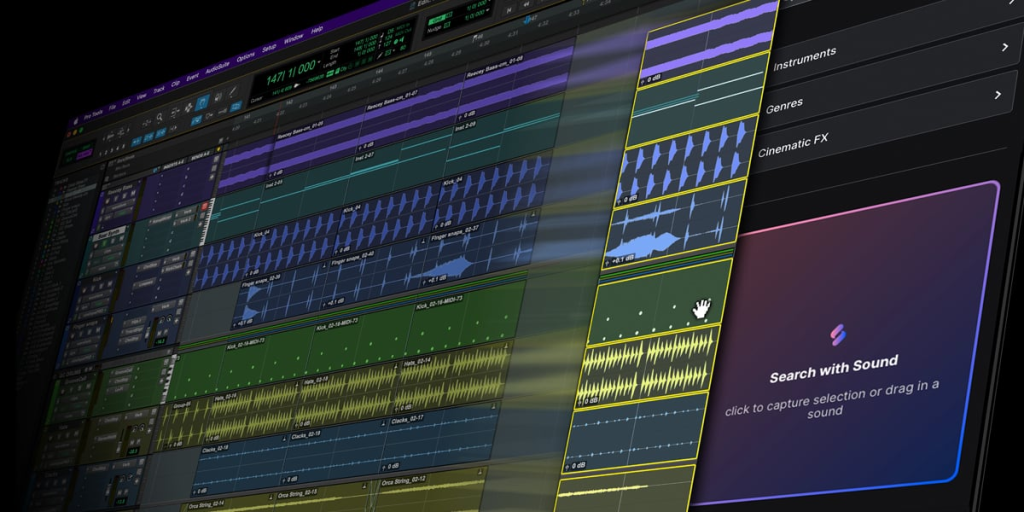
Splice in Pro Tools puts millions of sounds at your fingertips
Splice, the world’s largest sample library, is now integrated directly into Pro Tools—letting you discover, audition, and drop in high-quality sounds, without ever leaving the DAW. Simply drag in any clip from the timeline and Splice AI will instantly find top compatible samples synced to your session’s beat, key, and tempo—no more app switching, no more guesswork.
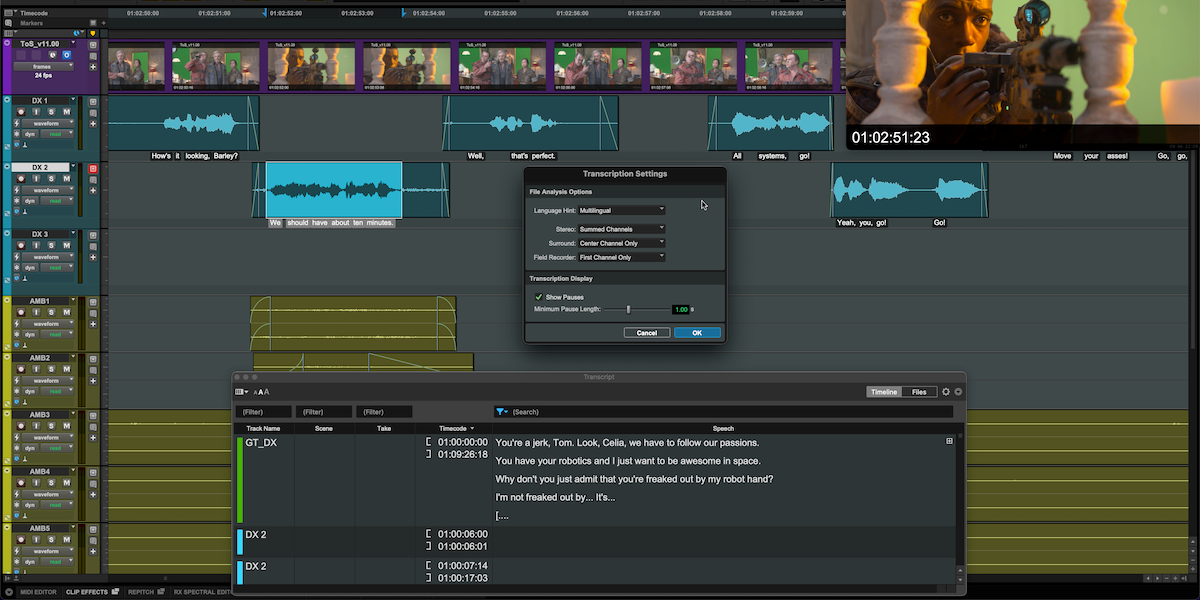
Speech-to-Text saves hours of searching for dialog and vocal takes
Speech-to-text accelerates audio post dialog editing and music production workflows using AI to analyze audio files for speech/lyric information which is displayed as text directly in context with each clip. Text will closely follow as clips are edited, and speech data across the session can be searched via the new Transcript window to find specific vocal takes and speed navigation.
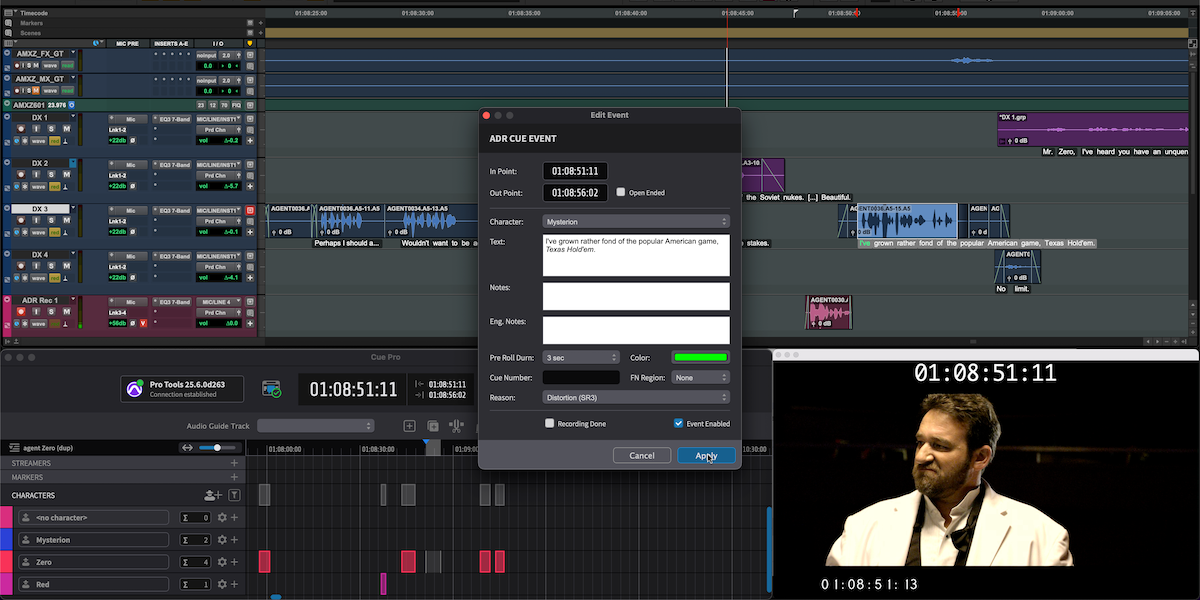
Integrated ADR with Non-Lethal Applications Cue Pro
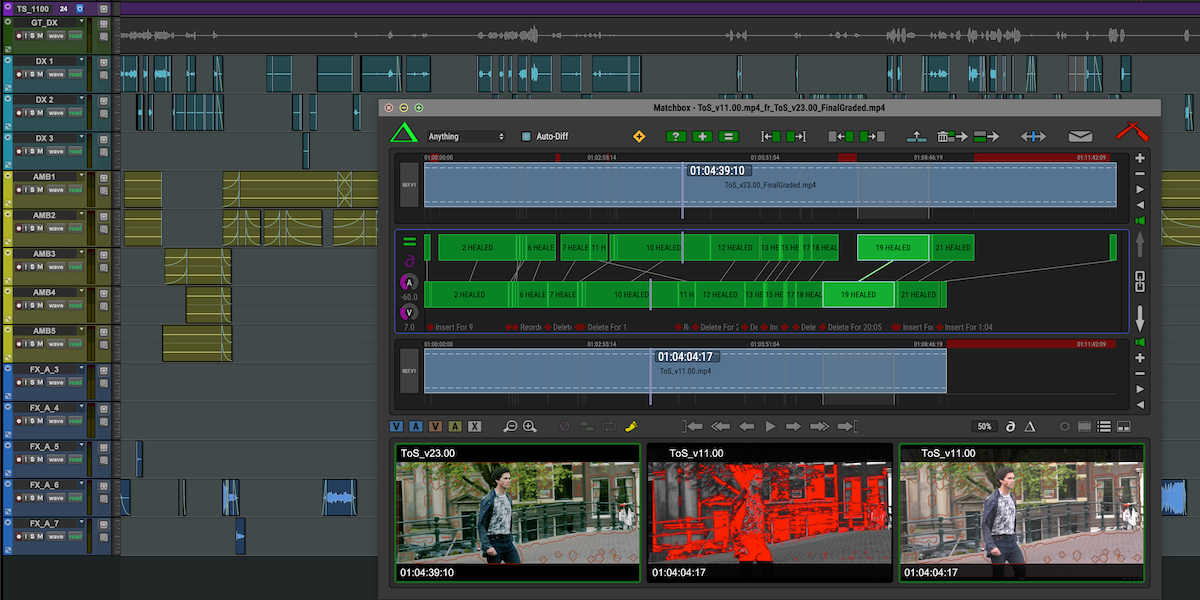
Reconform faster and more reliably with The Cargo Cult Matchbox 2.0
FORTE FOR PRO TOOLS (JUNE 2025)
Forte for Pro Tools gives you a fully automated workflow for the most time-consuming parts of your mix prep—like renaming, color coding, stereo to mono conversion, routing, as well as bouncing multiple mix variations—and Forte for Pro Tools is free for all Pro Tools customers with active subscriptions and perpetual upgrade plans.
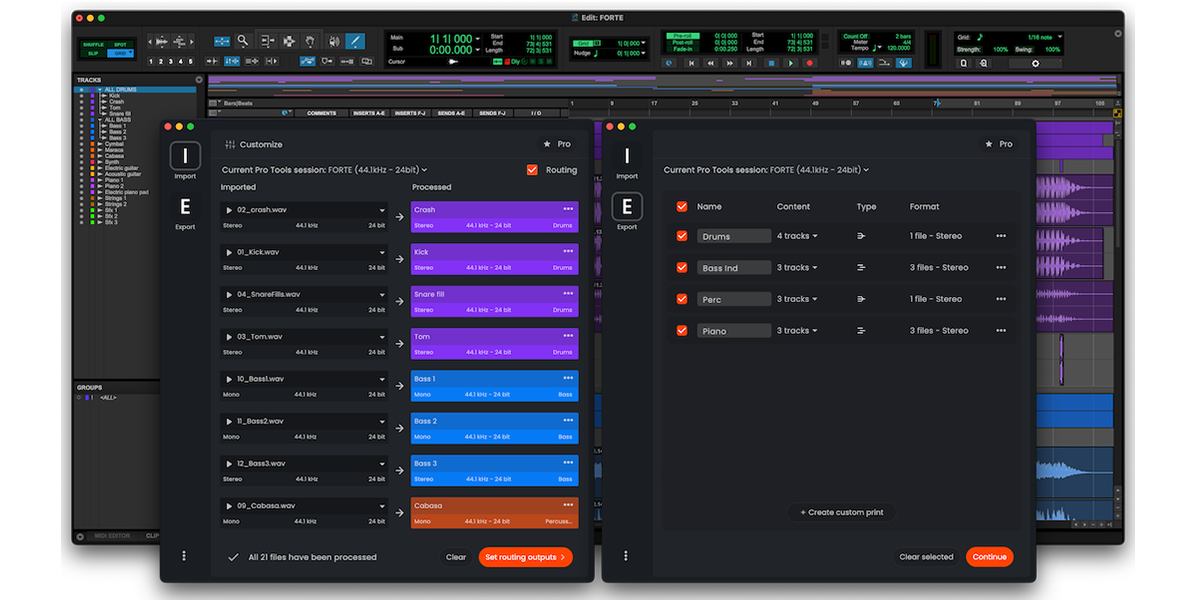
Forte Import quickly turns folders of audio files into neatly organized sessions, saving you hours of prep, and the Forte Export module makes exporting mixes as simple as clicking a button. No macros, no scripting—just select your export configuration and let Forte handle the rest.
K-Devices TATAT MIDI Plugin (April 2025)
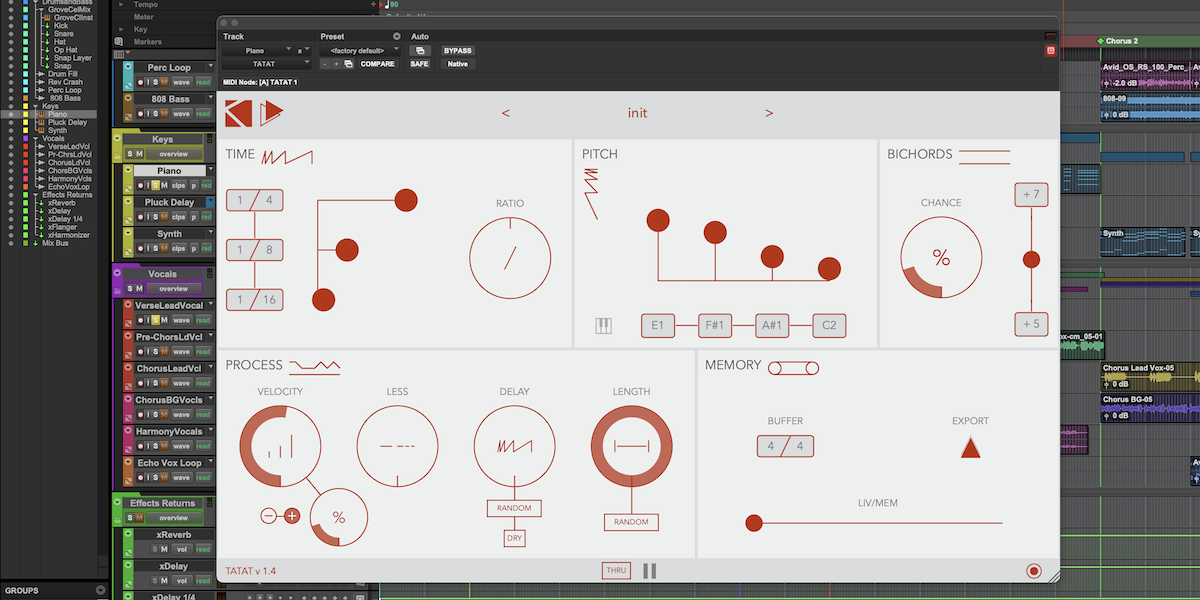
K-Devices TATAT is a MIDI plugin that lets you quickly generate musical ideas by creating sequences that can be modified in real-time and this award-winning plugin is free for all Pro Tools customers with active subscriptions and perpetual upgrade plans
NOISEWORKS DYNASSIST ARA SUPPORT (APRIL 2025)
Pro Tools now supports ARA integration with NoiseWorks DynAssist (Pro Tools 2024.10 and later). ARA integration enables DynAssist to function as an integral part of Pro Tools’ editing environment rather than as a traditional insert effect, and the DynAssist Lite ARA plugin is available at no cost to Pro Tools Artist, Studio, and Ultimate customers with active subscriptions and perpetual upgrade plans.
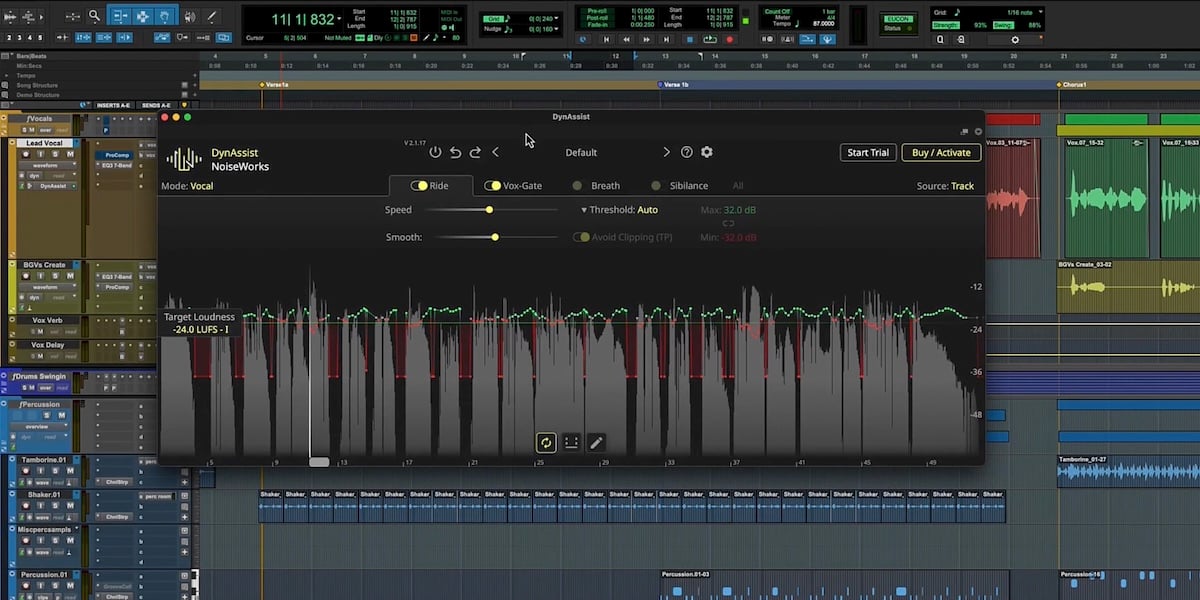
DynAssist is an adaptive vocal editing plugin that automatically adjusts volume to ensure a steady vocal performance and cleans up the vocal. It dynamically makes the appropriate adjustments, reducing the need for tedious manual tweaking.
ACON DIGITAL ACOUSTICA ARA SUPPORT (DECEMBER 2024)
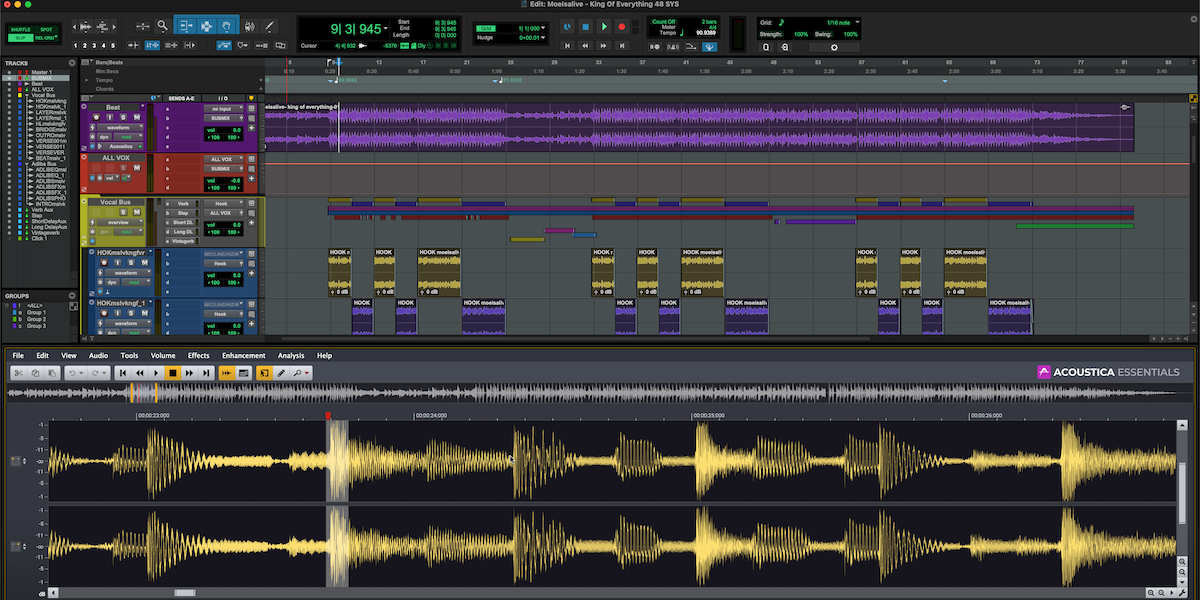
The new Acon Digital Acoustica 7.7 update delivers ARA integration of this powerful plugin to Pro Tools 2024.10 and later, eliminating the need for roundtripping audio for a more fluid creative process. And Pro Tools customers with active subscriptions and perpetual upgrade plans will also automatically receive the Acoustica Essentials ARA plugin.
PRO TOOLS 2024.10 (OCTOBER 2024)
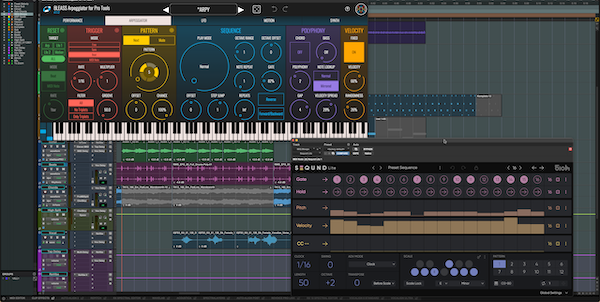
The Pro Tools 2024.10 software update introduces ARA 2 plugin support for Steinberg SpectraLayers and WaveLab, inclusion of Native Instruments Kontakt 8 Player and content, as well as MIDI effect plugins from 510k and BLEASS. The release also delivers MIDI playlist workflows, clip drag-and-drop into virtual instruments, Dolby Atmos enhancements, and more.
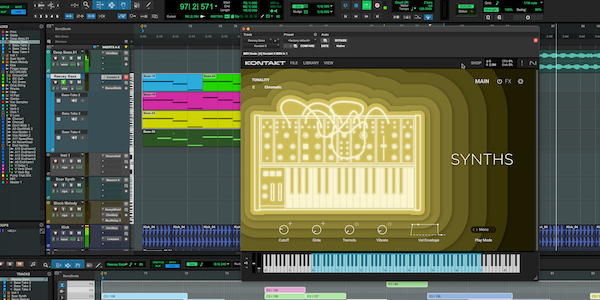
Native Instruments Kontakt 8 Player and Content
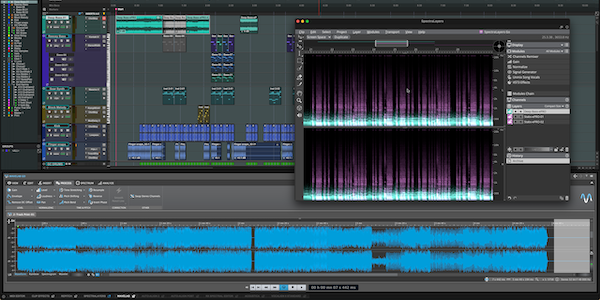
ARA Support for Steinberg SpectraLayers and WaveLab
2024.10 adds ARA 2 support for Steinberg’s SpectraLayers and WaveLab plugins, enabling you to leverage these tools significantly faster and easier in Pro Tools without having to roundtrip audio. And customers with active subscriptions and perpetual upgrade plans will automatically receive Steinberg SpectraLayers Go and WaveLab Go as part of this release.
MIDI Plugins from 510k and BLEASS
PRO TOOLS 2024.6 (JUNE 2024)
The Pro Tools 2024.6 software update introduces significant new capabilities for both music and audio post customers, including ARA 2 support for solutions from iZotope, Synchro Arts, and Sound Radix, two new included MIDI effect plugins from Mixed In Key, and session export for Media Composer. The release also delivers Dolby Atmos® enhancements, MIDI pitch labels, improved searching and importing of Session Data, Memory Locations enhancements, and more.
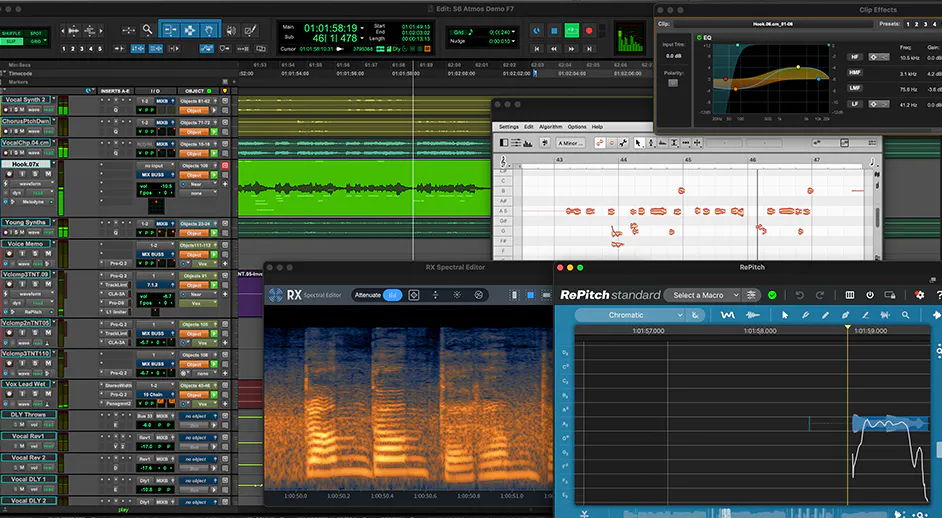
Expanded ARA 2 integration
2024.6 adds ARA 2 support for six industry-leading plugins, including iZotope RX Spectral Editor, Synchro Arts RePitch, VocAlign, and Revoice Pro, as well as Sound Radix Auto-Align 2 and Auto-Align Post 2. Together with existing Celemony Melodyne integration, ARA 2 support enables users to leverage these tools significantly faster and easier in Pro Tools without having to roundtrip audio. Additionally, customers with active subscriptions and perpetual upgrade plans will automatically receive iZotope RX 11 Spectral Editor and Synchro Arts RePitch Elements as part of this release.
New Included MIDI Effect Plugins
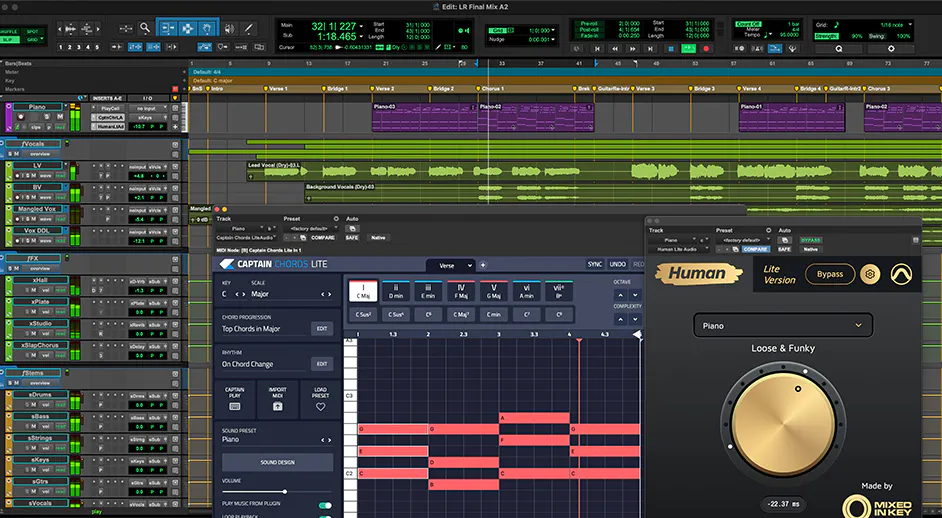
2024.6 gives Pro Tools customers two new MIDI plugins by Mixed In Key: Captain Chords Lite and Human Lite. Captain Chords Lite is a perfect songwriting companion that allows users to pick any key and instantly create chords to try out, with complete control over inversions, substitutions, and passing tones. Captain Chords Lite also includes a library of chord progressions and rhythms to experiment and create something amazing. The Human Lite plugin adds the organic feel of live musicians to quantized MIDI performances, loops, and even entire tracks. The Captain Chords Lite and Human Lite plugins are exclusively available to all Pro Tools customers with active subscriptions and perpetual upgrade plans.
Session export for Avid Media Composer
Pro Tools Ultimate users can now save a copy of a session as a Media Composer compatible file, greatly simplifying sound for picture workflows. This new file format includes sample accurate volume and pan automation as well as markers that can be imported into Media Composer.
PRO TOOLS 2024.3 (MARCH 2024)
The Pro Tools 2024.3 software update offers music creators powerful new ways to work with MIDI, as well as seamless MIDI copy and paste functionality between Pro Tools and Sibelius. 2024.3 also delivers the ability to print and monitor live Dolby Atmos re-renders, numerous Pro Tools Sketch enhancements, detachable Melodyne and Clip Effects tabs, and more.
Support for MIDI Effect Plugins
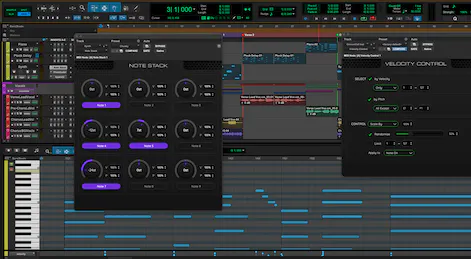
Pro Tools now supports AAX MIDI effect plugins that enable users to quickly generate and manipulate MIDI to realize their musical ideas. From triggering notes and modifying velocity and pitch to generating musical riffs, rhythms, and arpeggiations, a range of MIDI effects can be tweaked and automated. The release also expands the Pro Tools MIDI signal flow to enable routing within the same track, between tracks, and even between plugins. Pro Tools now includes a collection of Avid and third-party MIDI effect plugins, including: Avid Note Stack, Velocity Control, and Pitch Control, as well as Audiomodern Riffer 3, Modalics EON-Arp, and Pitch Innovations Groove Shaper (the latter three are only included with paid Pro Tools offerings).
MIDI Copy/Paste to and from Pro Tools & Sibelius
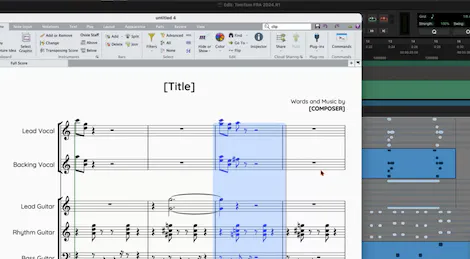
Pro Tools now offers seamless copying and pasting of MIDI to and from the Sibelius music notation application (version 2024.3 and later), enabling composers to save days of work as they no longer need to build up scores from scratch in parallel applications. You can copy MIDI from Pro Tools into the public clipboard and then paste into Sibelius with all relevant MIDI information including notes, pitch, note duration, timing/position in clip, and continuous controller data across the clip(s). Conversely you can copy a passage selection or entire conductor track in Sibelius with all relevant data and paste directly into Pro Tools.
Dolby Atmos custom live re-renders
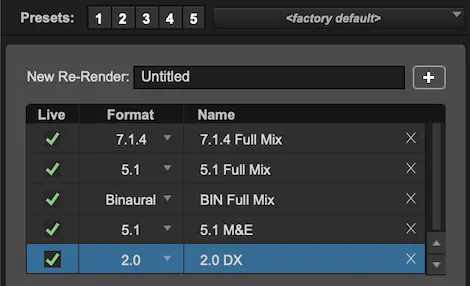
This release updates the new internal Pro Tools Dolby Atmos renderer to support custom live re-renders from binaural up to 9.1.6. From printing delay-compensated stems directly into sessions to monitoring mixes using Apple Spatial Audio plugins, live re-renders support a range of critical music and audio post workflows. Users can now independently monitor different configurations, apply limiting, and easily QC and export stems—all within Pro Tools.
PRO TOOLS 2023.12 (DECEMBER 2023)
The Pro Tools 2023.12 software update delivers significant enhancements for both music and audio post workflows, including a new integrated Dolby Atmos renderer to streamline immersive mixing. The release also offers enhancements to Pro Tools Sketch, adds new Track Markers functionality, I/O Setup and Routing color coding, Same as Source bounce support for H.264 video, support for Native Instruments S-Series controllers, and more.
Integrated Pro Tools Dolby Atmos renderer
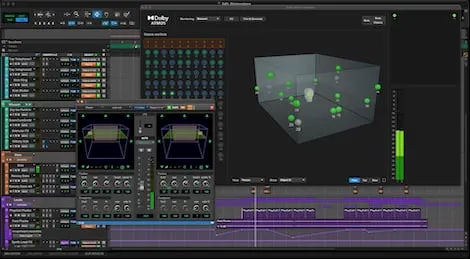
The new integrated Dolby Atmos renderer is included free in Pro Tools Studio and Ultimate and improves the efficiency of immersive mixing workflows with simplified setup, mixing, and monitoring. You can now render and monitor Dolby Atmos mixes within Pro Tools without having to roundtrip to an external renderer. A new window provides comprehensive visualization of your Atmos mix from various perspectives and enables you to quickly switch between multi-speaker and binaural headphone monitoring. Additionally, a new I/O Setup tab simplifies the configuration of beds, objects, groups, trim, and downmix settings and saves them as part of your session for easy recall.
Explore the Pro Tools Dolby Atmos renderer
Explore the Pro Tools Dolby Atmos renderer >
Pro Tools Sketch enhancements
The 2023.12 software release introduces new interoperability between Sketches and Pro Tools sessions, adds new audio effects, MIDI workflow improvements, and more. When dragging MIDI clips from the Sketch window into the Pro Tools timeline you can now choose whether to keep them as MIDI for further manipulation or render them as audio. Conversely, when dragging audio clips from Pro Tools into the Sketch window, you now have the option to render the full signal chain (including plugin processing, Elastic Audio, clip effects, etc.) to maintain their processed sound. Finally, improvements to the desktop Media Browser make it easier to access your loops and samples and you can now embed Sketches directly into Pro Tools sessions for better portability of projects when sharing and collaborating with others.
Expansion of Track Markers
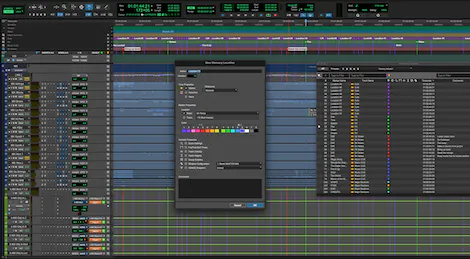
First introduced in the 2023.6 release, Track Markers enable users to add detailed, color-coded comments within a track to improve both music and audio post workflows. 2023.12 builds on this functionality with more marker rulers for better visibility, allowing for each ruler to have a specific purpose with more space for text to be displayed. Track Markers are also easier to find in the Memory Location window through improved sorting and filtering options.
PRO TOOLS 2023.9 (SEPTEMBER 2023)
The Pro Tools 2023.9 software update introduces the Pro Tools Sketch Window and iPad app, Export Session Range, Plugin Slot Reordering, Pro Tools Dashboard updates, Scripting SDK updates, and much more.
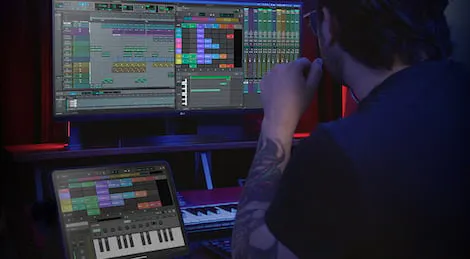
Pro Tools Sketch
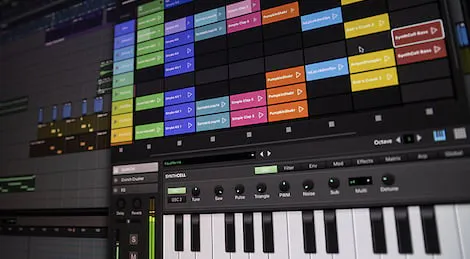
Capture and play with ideas anywhere inspiration strikes with Pro Tools Sketch, a new non-linear, clip-based creation tool in Pro Tools and on iPad. Trigger samples and loops, record audio, and capture MIDI performances to quickly work up sketches. Drag and drop clips and experiment with arrangements to create something you love. Pro Tools Sketch offers new ways to experiment with musical ideas that can be dragged into the Pro Tools Edit Window for further recording, editing, and mixing.
Export Session Range
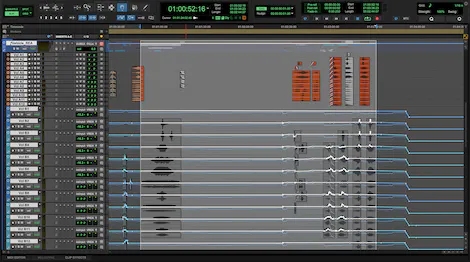
Export Session Range improve the efficiency of exporting workflows by only including a section of a session with media to be saved/exported without having to clear out all the unnecessary data before merging the elements from one session to another. This allows easier movement of sound elements from previous episodes/films that use same material. It’s also perfect for breaking up live recordings into individual songs or assembling song melodies from different recordings.
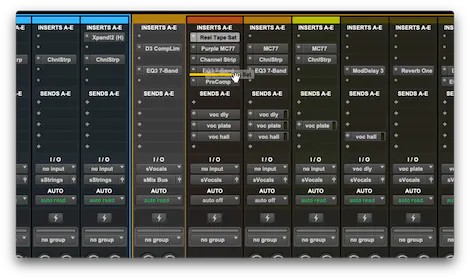
Plugin Slot Reordering via Drag & Drop
The ability to rearrange the order of loaded plugins has been a long-requested feature. You can now freely change the order of inserted plugins via drag and drop to accommodate new plugins or to experiment with your processing chain.
PRO TOOLS 2023.3 (MARCH 2023)
The Pro Tools 2023.3 software update delivers qualified native Apple silicon support, expanded Elastic Audio processing, new Pro Tools | GrooveCell and SynthCell presets, updates to the Scripting SDK, and more. This release also introduces the new Pro Tools | PlayCell virtual instrument as well as Pro Tools | Sonic Drop—a new monthly content program.
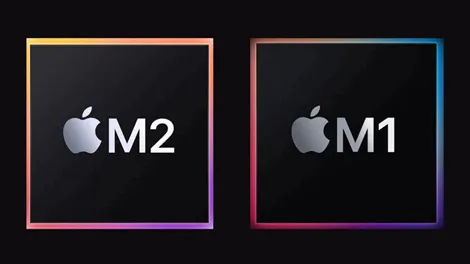
Qualified native Apple silicon support
The 2023.3 software release brings fully qualified native Apple silicon support to Pro Tools, delivering significant performance improvements to users on M1 and M2 systems. The update also provides you with more ways to manipulate pitch and time—élastique Pro V3 by zplane.development and Celemony Melodyne offer users enhanced control over the timing and feel of their tracks.
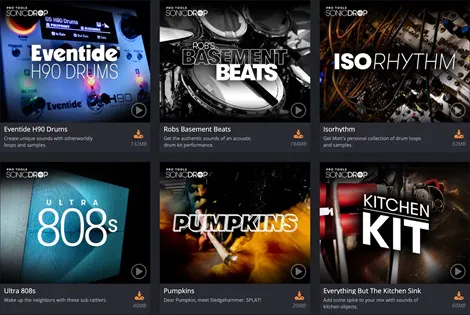
Pro Tools | Sonic Drop content program
Multiplatinum artist and Avid sound designer Matt Lange is bringing a whole world of exclusive sounds to the Pro Tools community with Pro Tools | Sonic Drop. This new monthly program will deliver inspiring new samples, loops, and instrument presets to all Pro Tools subscribers (monthly and annual) and current perpetual license holders. From traditional instruments and found sounds to content from other artists and industry partners, each “Drop” focuses on a specific theme, giving users an ever-growing collection of sounds.
New Pro Tools | PlayCell virtual instrument
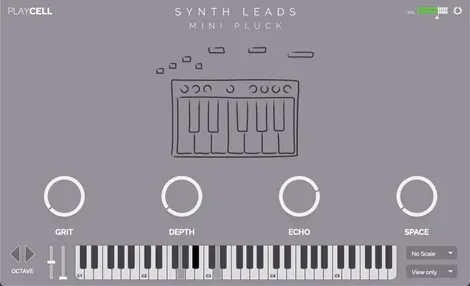
Pro Tools | PlayCell is a sample playback instrument that offers Pro Tools users a comprehensive collection of sounds in an easy-to-use interface that makes it easy to find and dial in the perfect sound. Not only does PlayCell ship with an extensive library of instruments, but more will be added regularly as part of the Pro Tools | Sonic Drop program.